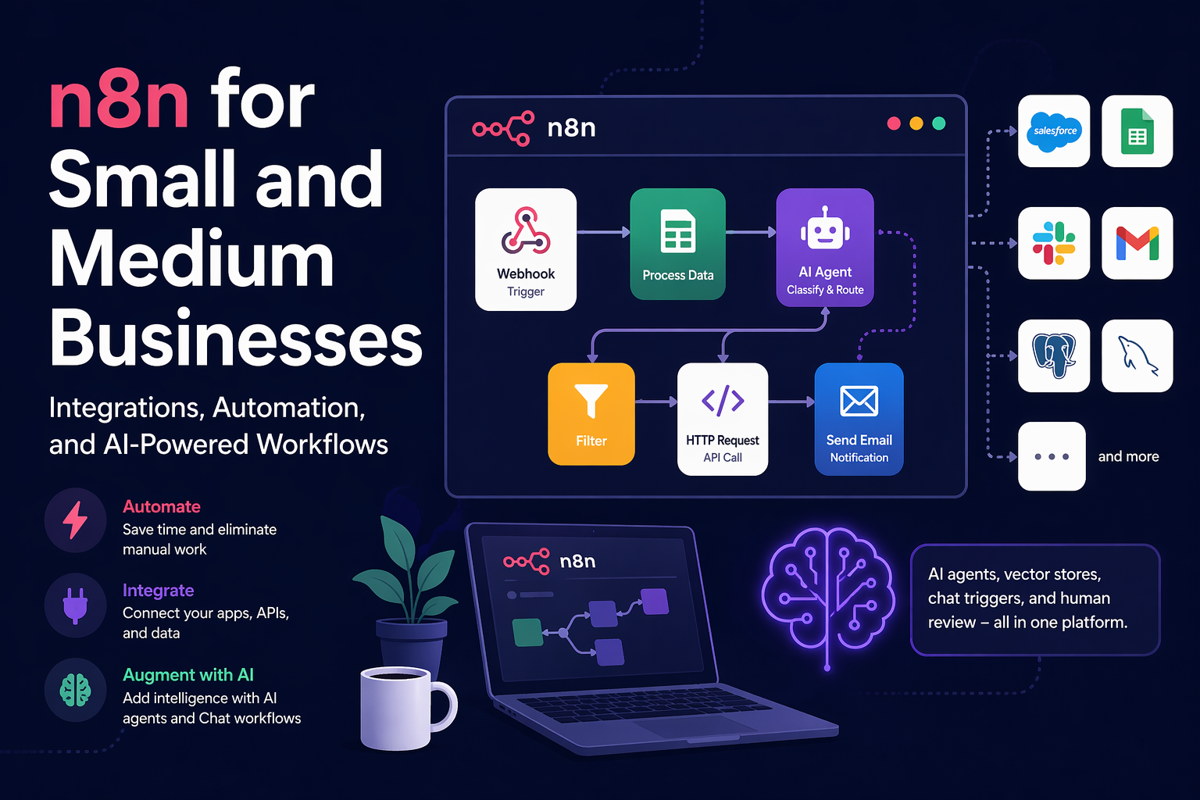
 n8n for Small and Medium Businesses: A Practical Guide to Integrations and Automation
Small and medium businesses often need better integrations long before they need a full enterprise integration stack. That is where n8n becomes interesting. It gives technical teams a practical way to connect apps, APIs, databases, files, and business workflows without forcing every automation to become a custom development project.
TL;DR
-
n8n is a strong fit for SMBs that need more flexibility than basic no-code automation tools.
-
It works especially well for API integrations, webhook-driven workflows, and operational processes that need custom logic.
-
n8n Cloud is easier to adopt, while self-hosted n8n offers more control but adds real operational responsibility.
-
For most teams, the real decision is not just cloud versus self-hosted. It is whether they want to automate workflows, or also operate the platform behind them.
Why n8n matters for SMBs
Most SMBs do not have the budget, time, or team size for long integration projects. They still need the same outcomes, though: move data between systems, automate repetitive tasks, notify the right people, and reduce manual operational work.
n8n sits in a useful middle ground. It is more flexible than simple point-and-click automation tools, but much lighter than standing up a full enterprise iPaaS program. That makes it a practical option for companies that need real integration capability without overbuilding too early.
This matters even more when workflows stop being simple. A process that starts as “send a form submission to the CRM” can quickly turn into validation, enrichment, branching, retries, exception handling, approvals, and downstream updates. Many tools handle the first step well. Fewer stay comfortable once the edge cases appear.
Where n8n fits in an integration stack
From an integration perspective, n8n is best understood as an orchestration layer. It is not a data warehouse, not a transformation framework like dbt, and not a managed ingestion platform like Fivetran. What it does well is coordinate actions between systems.

That includes API-to-API workflows, webhook-driven business processes, scheduled jobs, file routing, human approvals, and lightweight transformation or validation logic. For SMBs, that is often exactly the gap that needs to be filled: a platform that can connect operational processes without requiring a heavy middleware footprint.
What makes n8n especially useful
n8n is attractive because it can start simple and still handle more technical requirements when the workflow grows.
A team can begin with a trigger and a few app nodes, then later add direct HTTP requests, custom JavaScript or Python, conditional routing, retries, waits, and error handling. That flexibility matters because real integration work rarely stays clean and linear for long. Field rules change, APIs change, authentication changes, and business teams ask for one more exception almost every time.
For integration-minded teams, this is one of n8n’s biggest advantages. It provides a visual workflow layer, but it does not trap the team there. When a connector is not enough, the workflow can still continue through APIs and custom logic.
Where AI can add value
AI is one reason n8n is getting more attention, but the strongest use cases are still practical ones. In most SMB environments, AI works best as a controlled step inside an existing workflow, not as a replacement for workflow design.
Useful examples include classifying inbound emails, extracting structured fields from documents, routing requests by intent, summarizing long text before review, retrieving internal context, or letting an agent choose between a limited set of tools under workflow control.
That is where n8n becomes more valuable than a standalone chatbot experiment. AI can sit inside an operational process with validation, auditability, and human review where needed. The goal should be to improve useful work, not add AI for its own sake.
n8n Cloud vs self-hosted
This is usually the first strategic decision. n8n Cloud is the easier path when the business wants faster adoption and less infrastructure responsibility. Self-hosting offers more control over environment, access, and data location, but it also means the team owns deployment, upgrades, backups, security, uptime, and incident handling.
A good way to frame the decision is simple: do you want to use an automation platform, or operate one?
-
Choose n8n Cloud if speed, lower operational burden, and easier adoption matter most.
-
Choose self-hosted n8n if your team already manages production services well and needs more control for infrastructure, security, or long-term platform strategy.
Real workflow examples
A few examples show where n8n fits well in practice.
Customer onboarding
A new customer is created in a CRM. n8n generates the related folder or document set, grants access, sends the onboarding email, and notifies the internal owner.
Lead qualification and routing
A form submission hits a webhook. n8n validates the payload, enriches the company record via API, classifies or scores the lead, and routes it to the correct team.
Order or finance exception handling
An order fails validation. n8n logs the error, notifies the correct stakeholder, and triggers different follow-up actions depending on the failure reason.
AI-assisted inbox triage
An inbound email enters the workflow. n8n uses AI to classify the request, extract key details, and route the case. For higher-risk actions, the flow pauses for human approval before updating downstream systems.
Common pitfalls
The biggest mistakes usually appear outside the happy path. Teams often underestimate rate limits, retries, duplicate prevention, execution log growth, credential drift, and workflow sprawl.
-
Retry only transient failures, and design reruns so they do not create duplicates.
-
Document credential ownership and retest critical workflows after secret rotation.
-
Keep execution history useful for troubleshooting, but do not let saved data grow without control.
-
Standardize naming and ownership before the workflow estate starts spreading.
-
For AI steps, keep the use case narrow and add review gates where mistakes would be costly.
Final thoughts
n8n is a strong platform for small and medium businesses because it covers a very useful gap in the modern integration stack. It is more flexible than basic automation tools, lighter than a full enterprise integration platform, and capable enough to handle real operational workflows across APIs, apps, files, and internal systems.
For most SMBs, the better first question is not “Which option is cheaper?” It is “Which option can we run reliably?” From an integration perspective, that is usually the right place to start.


Carlos Alves
I’m Carlos, a Data Engineer and founder of 2BInformed. I focus on data engineering, system integrations, workflow automation, and the practical use of AI. Using SQL Server, Python, Dell Boomi, Fivetran, Snowflake, dbt, and n8n, I build reliable data pipelines, connect applications, improve data quality, and automate manual business processes. I’m also available for freelance projects involving integrations, automation, data solutions, workflow design, and technical consulting.
Comments (0)
Leave a Comment
No Comments Yet
Be the first to share your thoughts on this article!